Okta (SAML)
Cloudflare Zero Trust can integrate SAML with Okta as an identity provider.
Set up Okta as a SAML provider
To set up SAML with Okta as your identity provider:
-
On your Okta admin dashboard, navigate to Applications > Applications.
-
Click Create App Integration.
-
In the pop-up dialog, select SAML 2.0 and click Next.
-
Enter an app name and click Next.
-
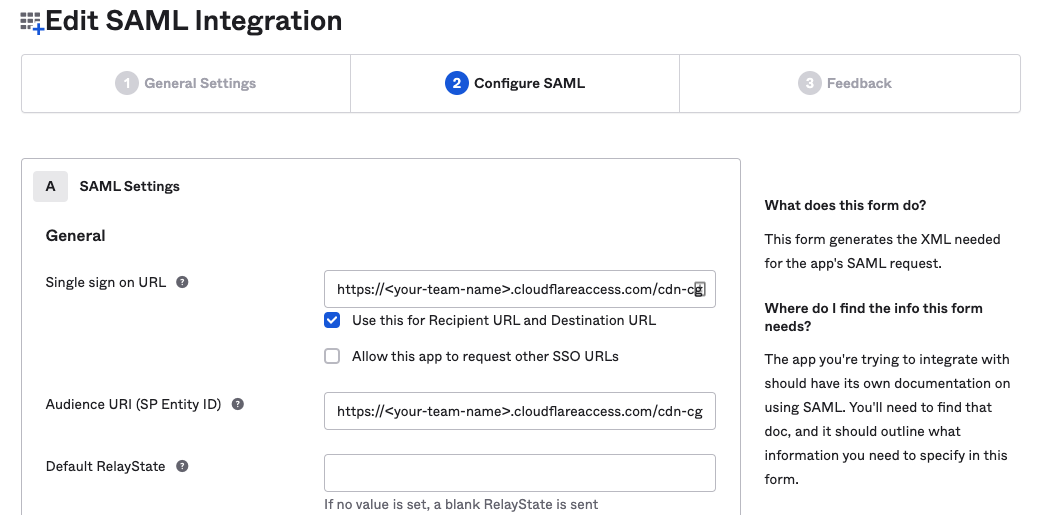
In the Single sign on URL and the Audience URI (SP Entity ID) fields, enter your team domain followed by this callback at the end of the path:
/cdn-cgi/access/callback. For example:https://<your-team-name>.cloudflareaccess.com/cdn-cgi/access/callback -
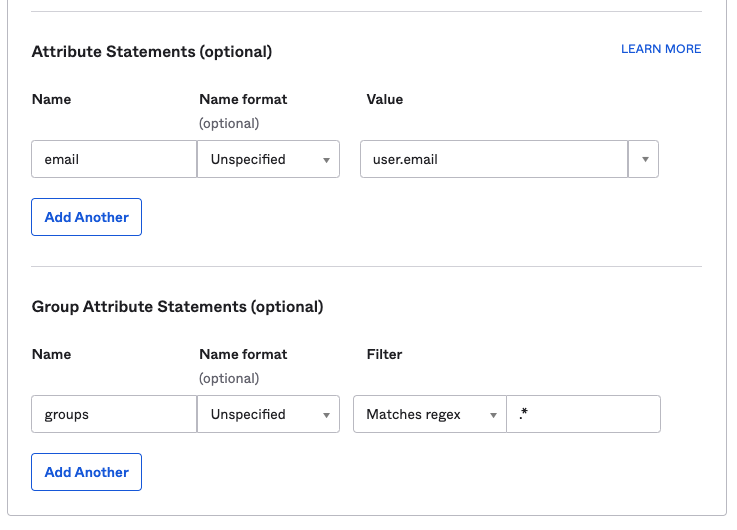
In the Attribute Statements section, enter the following information:
- Name: Enter
email. - Value: Enter
user.email.
- Name: Enter
-
(Optional) If you are using Okta groups, create a Group Attribute Statement with the following information:
- Name: Enter
groups. - Filter: Select Matches regex and enter
.*.
- Name: Enter
-
Click Next.
-
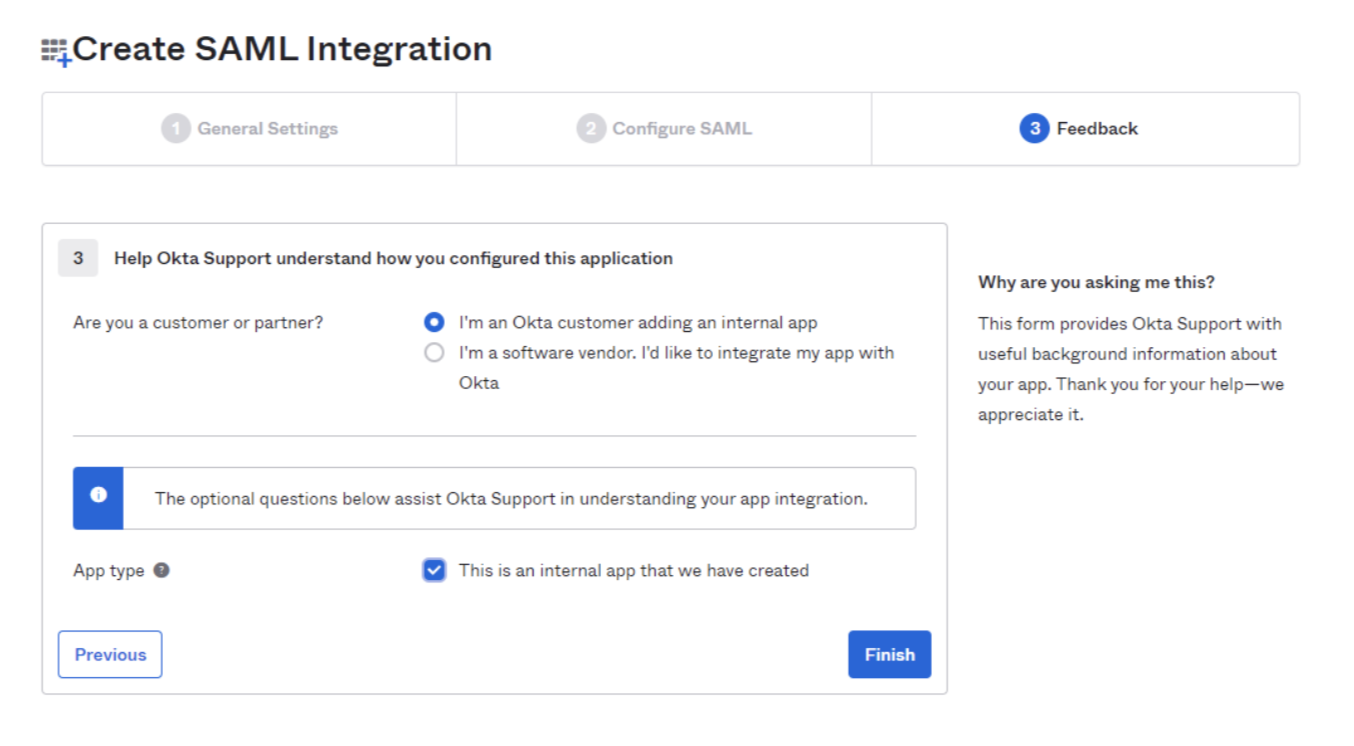
Select I’m an Okta customer adding an internal app and check This is an internal app that we have created.
-
Click Finish.
-
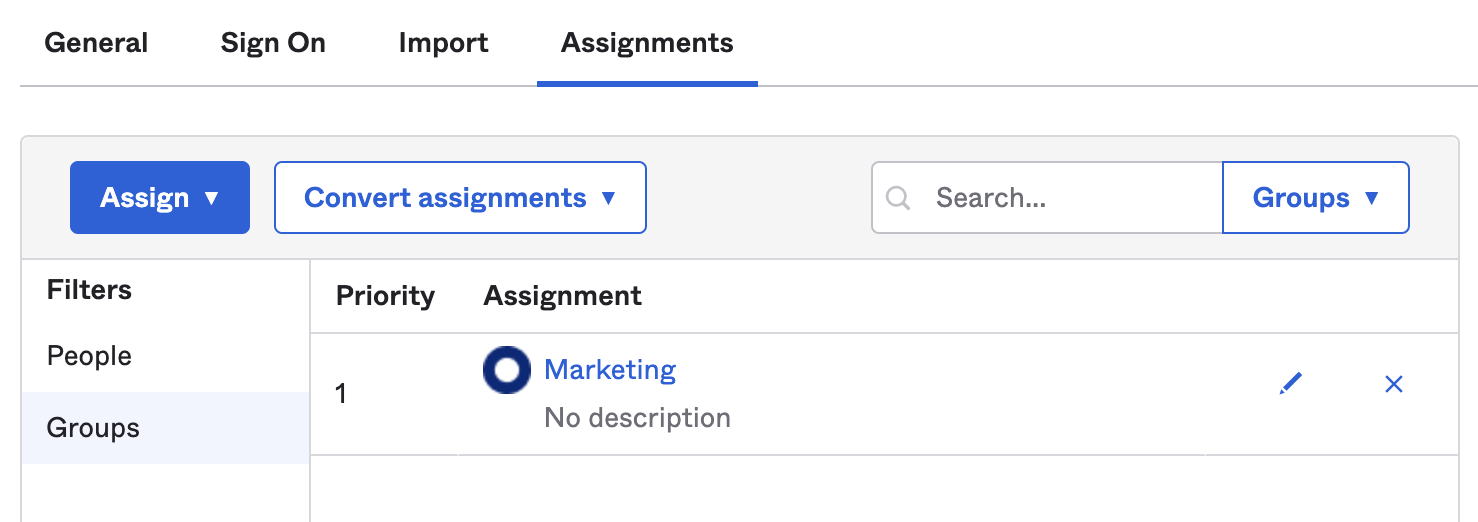
In the Assignments tab, click Assign and assign individuals or groups you want to grant access to.
-
Click Done. The assigned individuals and groups will display in the Assignments tab.
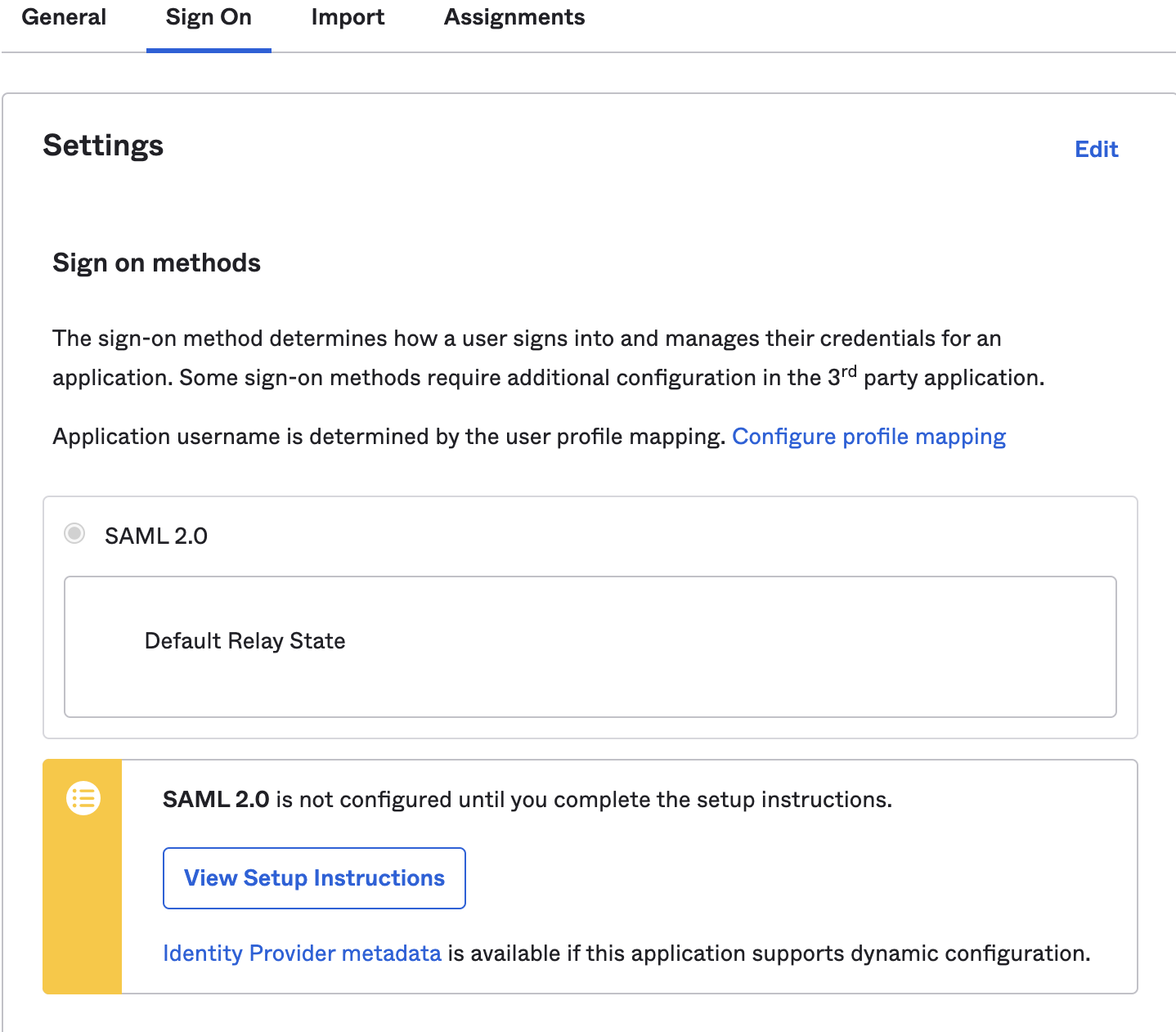
- To retrieve the SAML provider information, navigate to the Sign On and click View Setup Instructions. A new page will open showing the Identity Provider Single Sign-on URL, Identity Provider Issuer, and X.509 Certificate. Save this information for configuring your Zero Trust settings.
-
In Zero Trust, navigate to Settings > Authentication.
-
Click Add new under Login Methods, and select SAML.
-
Fill in the following information:
- Name: Name your identity provider.
- Single Sign On URL: Enter the Identity Provider Single-Sign-On URL from Okta.
- Issuer ID: Enter the Identity Provider Issuer from Okta, for example
http://www.okta.com/<your-okta-entity-id>. - Signing Certificate: Copy-paste the X.509 Certificate from Okta.
-
(Recommended) Enable Sign SAML authentication request.
-
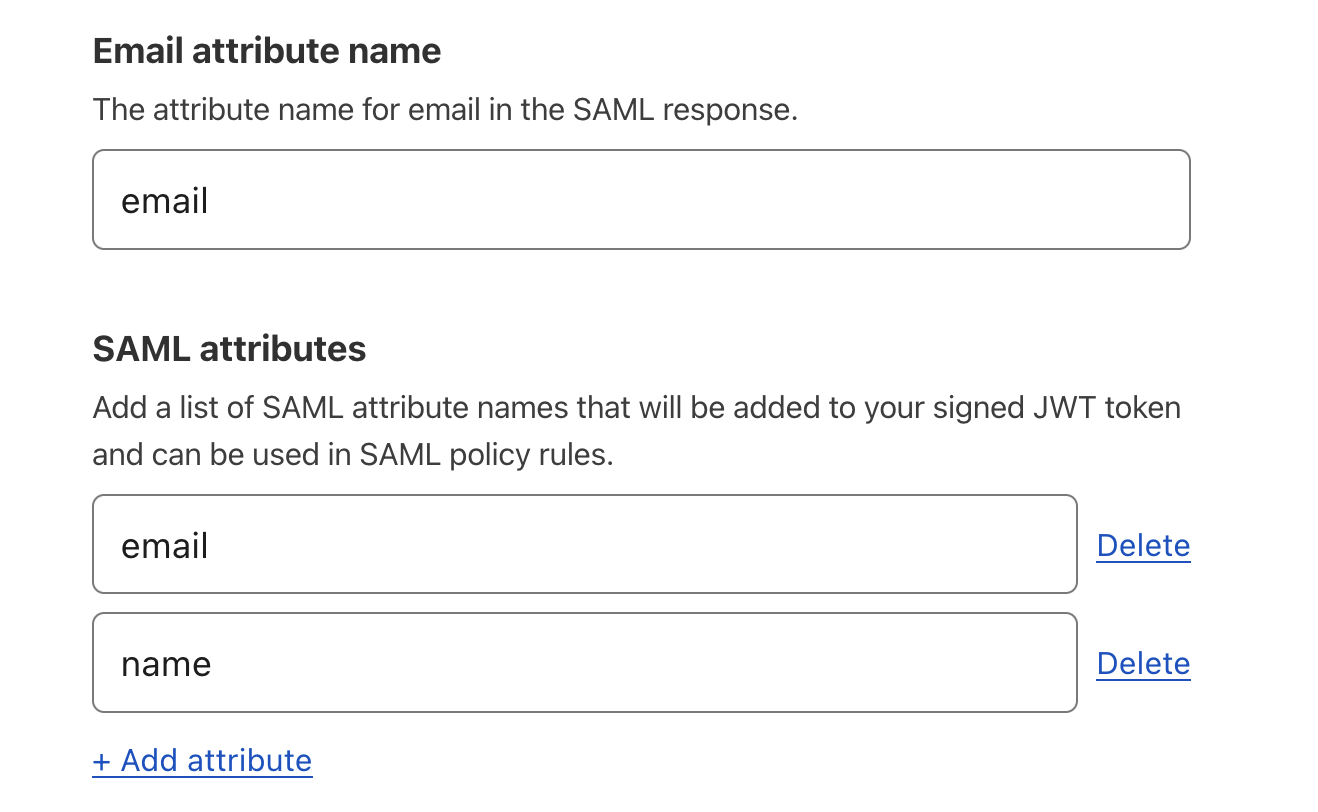
(Recommended) Under SAML attributes, enter
emailandname. Thenameattribute is required if you want to use Okta groups.
- Click Save.
To test that your connection is working, navigate to Settings > Authentication > Login methods and click Test next to Okta. A success response should return the configured SAML attributes.
Example API configuration
{    "config": {        "issuer_url": "http://www.okta.com/exkbhqj29iGxT7GwT0h7",        "sso_target_url": "https://dev-abc123.oktapreview.com/app/myapp/exkbhqj29iGxT7GwT0h7/sso/saml",        "attributes": [            "email",            "group",            "email_attribute_name": "",            "sign_request": false,            "idp_public_cert": "MIIDpDCCAoygAwIBAgIGAV2ka+55MA0GCSqGSIb3DQEBCwUAMIGSMQswCQYDVQQGEwJVUzETMBEG\nA1UEC.....GF/Q2/MHadws97cZg\nuTnQyuOqPuHbnN83d/2l1NSYKCbHt24o"        ]    },    "type": "saml",    "name": "okta saml example"
}